
GitHub 한국어 (GitHub Korean)
Turns GitHub's menus, buttons and settings labels into Korean as the page loads. Dev terms stay in the form you actually say, plus release and status alerts.
- Users
- 3K+
- Works on
- Chrome
- Version
- 3.0.3
Every tab, button and settings label on GitHub arrives in English, so reading a repository turns into a translation exercise you run in your head. This extension swaps that interface text for Korean while the page loads, leaving the layout exactly where you expect it.
Screenshots
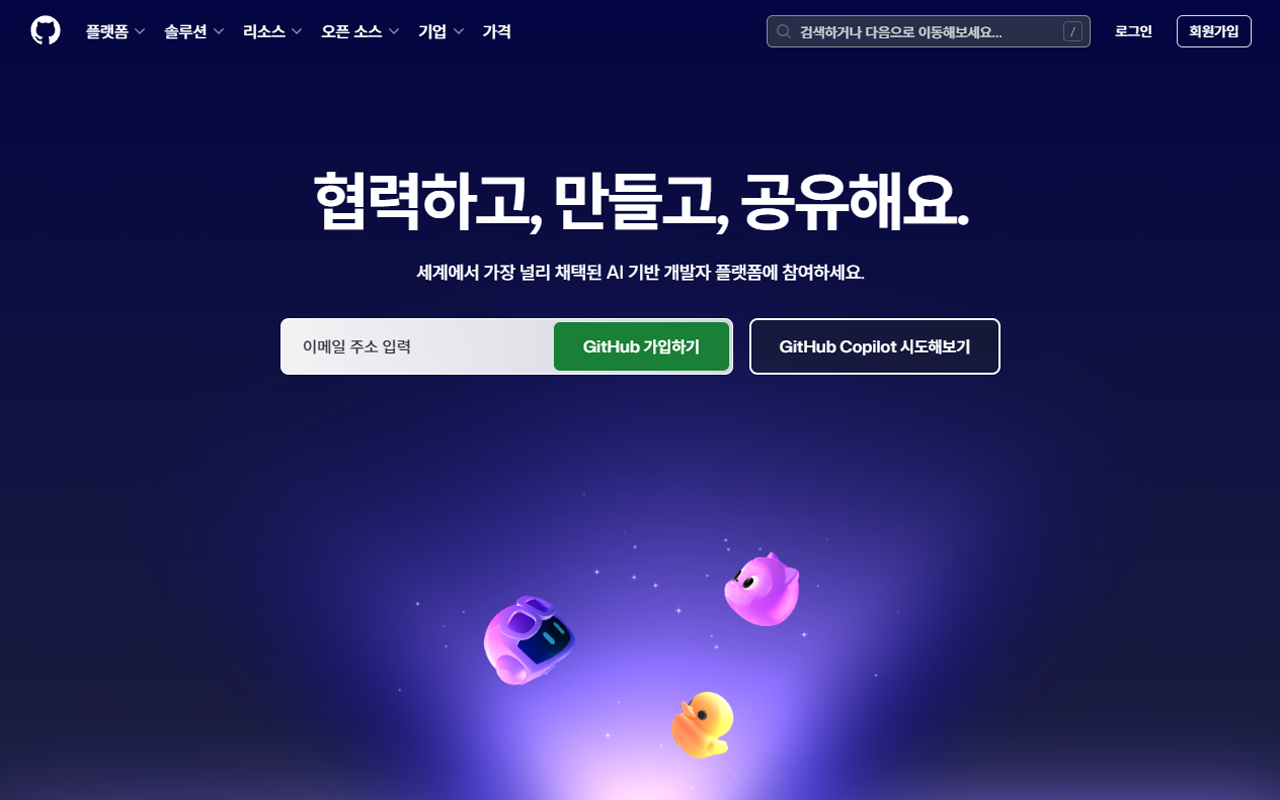
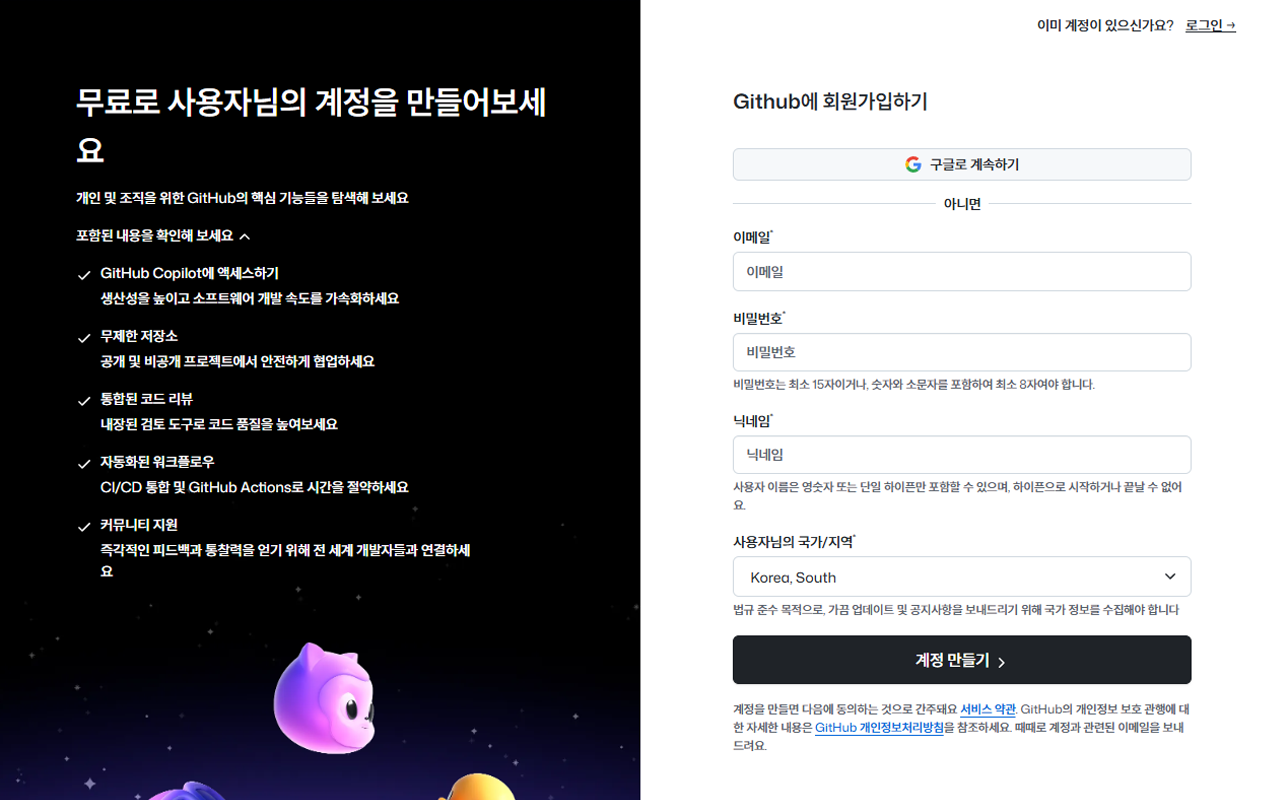
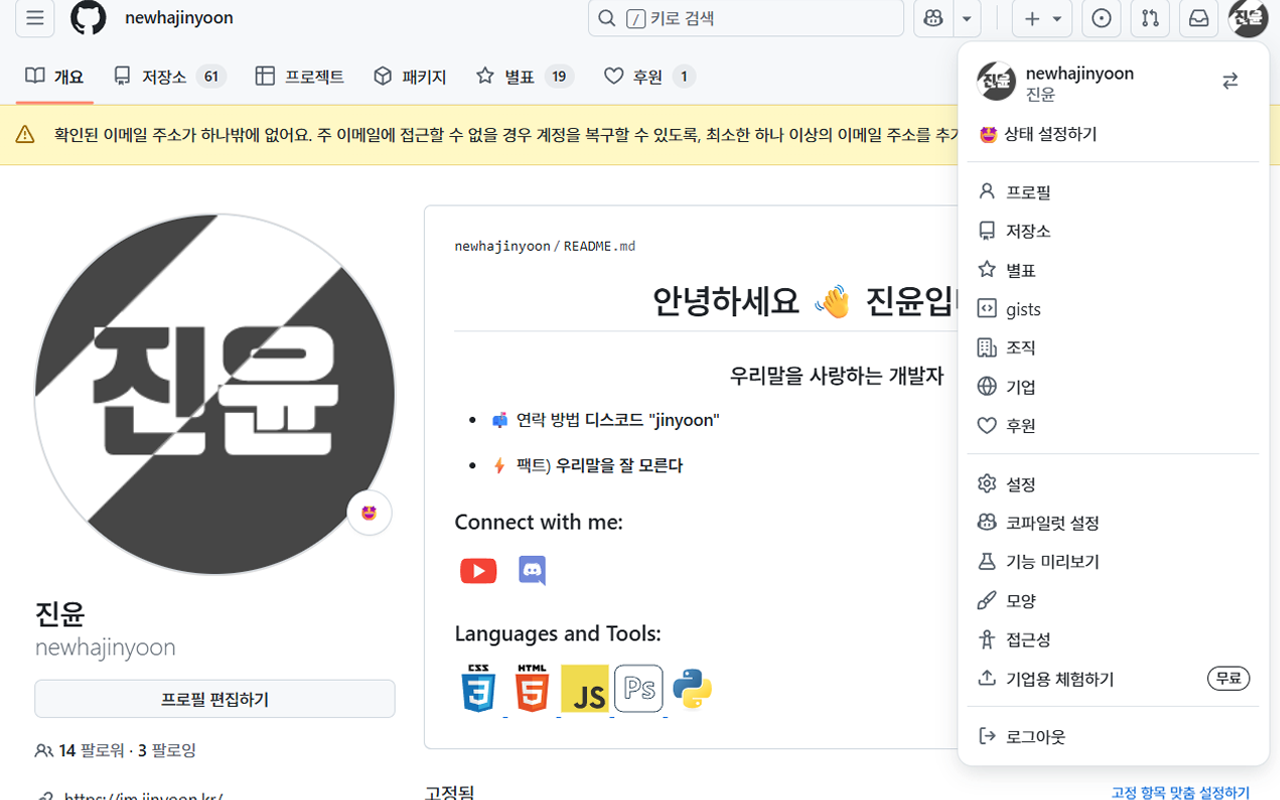
When you'd reach for it
Learning Git and GitHub for the first time
Early on, the vocabulary is the hard part — fork, blame, squash and merge, protected branch. With the interface in Korean, your attention goes to what a button does instead of what the word means. URLs, code and commit messages stay in English, so nothing you learn here gets stranded when you read the docs.
Keeping the words your team actually uses
Some Korean renderings of dev jargon read stranger than the English original. Turn on the dev-terms option and 끌어오기 요청 becomes 풀 리퀘스트, 저장소 becomes 리포지토리, 분기 becomes 브랜치. A separate particle-correction option cleans up the 은/는 and 이/가 endings that word substitution leaves awkward.
Watching a repository you depend on
Add a repository in the popup as owner/repo and you get a desktop notification when a new release tag shows up, checked in the background every 30 minutes. The status monitor does the same for GitHub itself: when githubstatus.com reports an incident, the toolbar icon gets a badge and the notification opens the status page.
Permissions & privacy
It runs only the code shipped inside the package — no remote code is fetched.
Questions people ask
How do I translate GitHub into Korean in Chrome?
Install it and refresh any GitHub page. Translation is on by default and applies while the page renders, so there is nothing to configure first. A KR badge on the toolbar icon shows it is active on the current tab.
Does it translate READMEs, issue comments and code?
No. It only replaces interface strings it recognises from its bundled Korean dictionary — navigation tabs, buttons, form labels, empty states, settings descriptions. Anything a person wrote, including README bodies, issue and pull request discussion, commit messages and code, is left exactly as it was.
Which GitHub sites does it work on?
github.com, gist.github.com, skills.github.com, education.github.com and www.githubstatus.com. Those five domains are the only ones its content scripts are registered for in the manifest, so it does nothing on other sites.
What permissions does it declare, and what is each one for?
The manifest declares storage, webNavigation, alarms and notifications, plus host access to all sites. storage keeps your toggles and your watched-repository list. webNavigation lets it re-apply the Korean strings when GitHub swaps a view without a full page load. alarms schedules the 30-minute checks, and notifications is what puts a release or incident alert on your desktop. Those checks read api.github.com for the repositories you added and the public githubstatus.com status API.
Can I switch GitHub back to English?
Yes. Open the popup and turn off 한국어 번역 켜기 — the page reloads and comes back in GitHub's own English text. Every toggle is independent, so you can drop the translation and still keep the release and status notifications running.
Related extensions
 KoreaDropdown800+ users
A Chrome extension that automatically selects 'Korea' in dropdown menus on websites.
 Naver Blog & Cafe Image Downloader9 users
Save every image from Naver Blog, Cafe, and Post in one click. Full-resolution originals in one folder, no context menu needed.
 Happy Pet - Virtual Pet7 users
A cute virtual pet companion for your new tab page
 Review Signal for Coupang — Review Trust Analyzer2 users
Trust signals for Coupang reviews: sponsored ratio, date bursts, duplicate text, rating skew. Suspicion signals, not a verdict.
 Auto Refresh - Reload Tab on Timer
Automatically reload the current tab on a timer, from 30 seconds to any interval. No ads, no tracking, no site permissions.
 Character.AI Image & Avatar Downloader
Bulk-download the character avatars and scene images on a Character.AI page to your computer in one click. Runs locally.