
Password Generator
Generate strong, secure passwords instantly. Customize length, characters, and copy with one click. Free random password generator.
- Version
- 3.0.2
This one is built but not on a store yet. The page is here so you can see what it does.
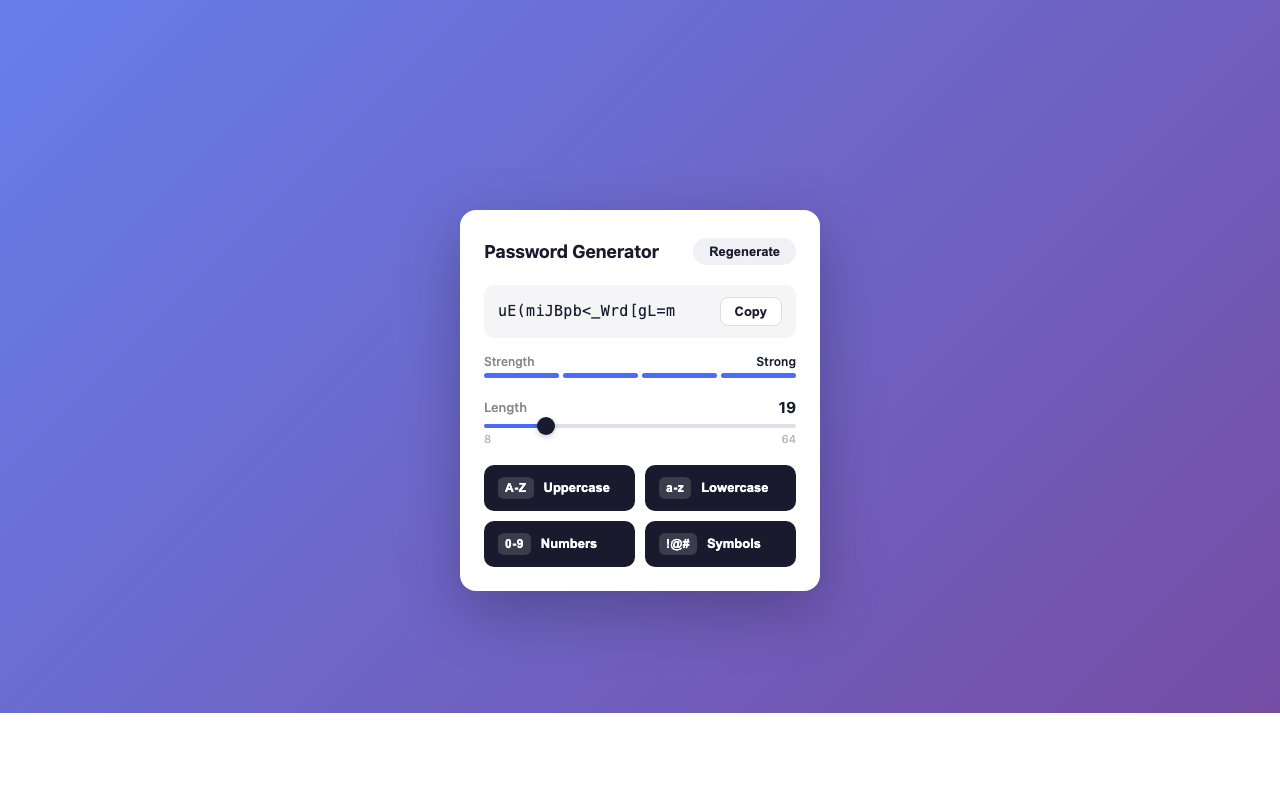
Password Generator creates strong, secure, random passwords right in your browser. Customize length (8-64 characters), toggle character types, check password strength at a glance, and copy to clipboard with one click. Built on the browser's native crypto.getRandomValues() API for cryptographically secure randomness.
Screenshots
What it does
Customizable Length
Generate passwords from 8 to 64 characters to meet any security requirement.
Character Type Toggles
Enable or disable uppercase letters, lowercase letters, numbers, and symbols to match site-specific password rules.
Strength Meter
Visual password strength indicator shows you at a glance how strong your generated password is.
One-Click Copy
Copy your generated password to the clipboard instantly with a single click.
Recent History
View your last 5 generated passwords for quick access. History is stored locally and cleared when you close the browser.
Cryptographically Secure
Uses the browser's built-in crypto.getRandomValues() API to ensure truly random, unpredictable password generation.
Instant Generation
Passwords are generated instantly with no loading or delays.
How to use it
- 01Click the Password Generator icon in the Chrome toolbar.
- 02Set your desired password length using the slider (8-64 characters).
- 03Toggle character types on or off (uppercase, lowercase, numbers, symbols).
- 04Your password is generated automatically as you adjust settings.
- 05Click "Copy" to copy the password to your clipboard.
- 06Access recent passwords from the history section if needed.
Permissions & privacy
Single purpose
Password Generator has a single purpose: to generate cryptographically secure random passwords with user-configurable length and character type options, display password strength, and allow one-click copying to the clipboard.
Password Generator runs entirely in your browser. Passwords are generated locally using the browser's native crypto API — they are never sent to, processed by, or stored on any external server. No personal data or generated passwords are collected or transmitted. Your passwords stay on your device. It runs only the code shipped inside the package — no remote code is fetched.
Related extensions
 Eye Rest Reminder78 users
Reminds you to rest your eyes and prevent digital eye strain with gentle break reminders.
 Quick Memo74 users
A simple and elegant memo extension for your browser
 YouTube Detox47 users
Removes recommended videos from YouTube homepage and video pages.
 Focus Guard3 users
Block distracting sites with "Why are you here?" prompt. Reduce YouTube, X, Reddit, Instagram use — digital detox, 100% local.
 Notion Table & Database to CSV / Markdown2 users
Notion table to Markdown or CSV in one click. Adds a Copy button above any Notion table or database view. No login, no API.
 Air Quality Monitor
Real-time air quality monitor for Korean cities (PM2.5/PM10)