
Text Counter
Instantly count words, characters, sentences, and paragraphs. Free word counter tool for writers, students, and professionals.
- Version
- 3.0.2
This one is built but not on a store yet. The page is here so you can see what it does.
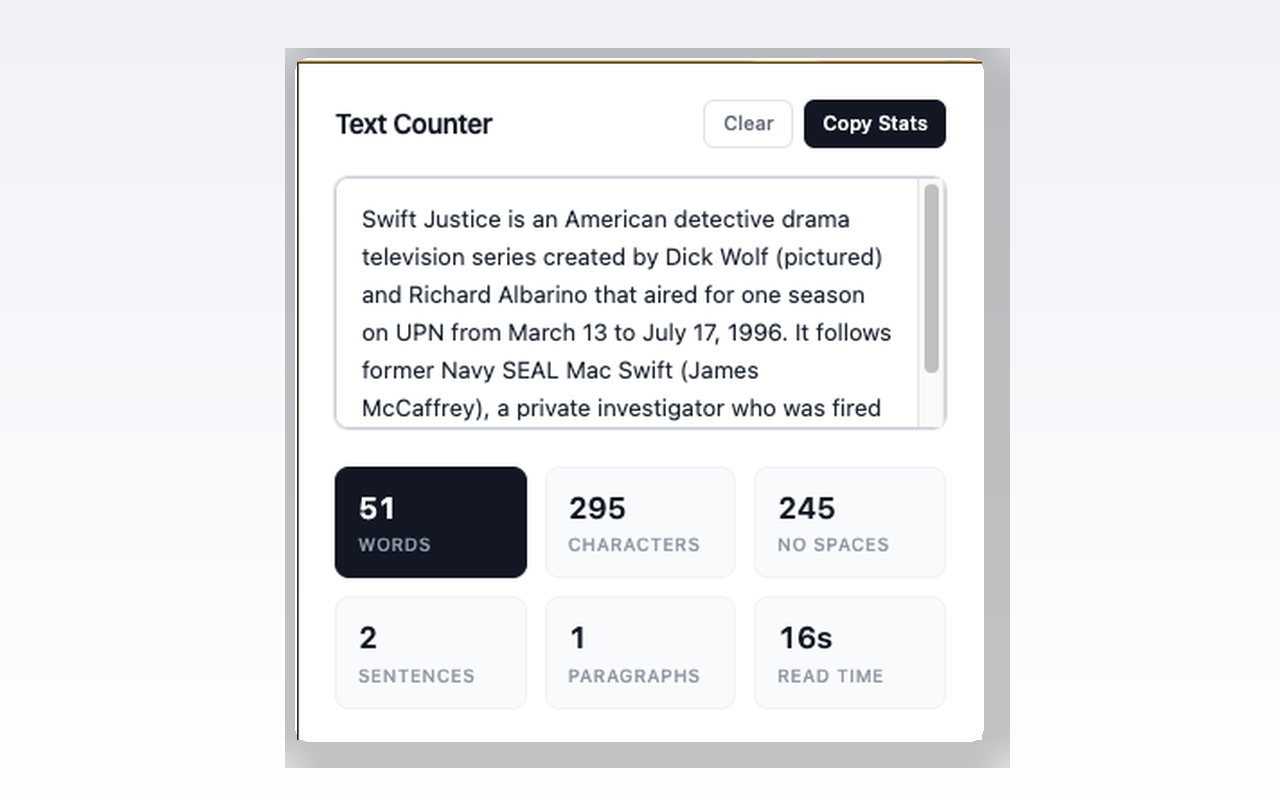
Text Counter instantly counts words, characters, sentences, paragraphs, and reading time as you type or paste.
No sign-ups, no cloud, no distractions — just open the popup and start typing.
Screenshots
What it does
Real-time word count
Character count (with and without spaces)
Sentence count
Paragraph count
Estimated reading time (based on 200 WPM)
Copy all stats to clipboard with one click
Clear button to start fresh
Writers checking article length or word limits
Students meeting essay word count requirements
Social media managers staying within character limits
SEO professionals optimizing meta descriptions
Translators tracking source vs. target length
Anyone who needs a quick, reliable word counter
How to use it
- 01Click the Text Counter icon in your toolbar
- 02Type or paste your text
- 03See all stats update instantly
- 04Click "Copy Stats" to copy the results
Permissions & privacy
Single purpose
Text Counter has a single purpose: counting text statistics in real time. Users type or paste text into the popup, and the extension instantly displays the word count, character count (with and without spaces), sentence count, paragraph count, and estimated reading time. Users can copy all statistics to their clipboard with one click. No data leaves the browser.
All processing happens locally in your browser No data is sent to any server No analytics, no tracking, no accounts Only one permission used: storage (to remember your preferences) Simple. Instant. Free. It runs only the code shipped inside the package — no remote code is fetched.
Related extensions
 Eye Rest Reminder78 users
Reminds you to rest your eyes and prevent digital eye strain with gentle break reminders.
 Quick Memo74 users
A simple and elegant memo extension for your browser
 YouTube Detox47 users
Removes recommended videos from YouTube homepage and video pages.
 Focus Guard3 users
Block distracting sites with "Why are you here?" prompt. Reduce YouTube, X, Reddit, Instagram use — digital detox, 100% local.
 Notion Table & Database to CSV / Markdown2 users
Notion table to Markdown or CSV in one click. Adds a Copy button above any Notion table or database view. No login, no API.
 Air Quality Monitor
Real-time air quality monitor for Korean cities (PM2.5/PM10)